See what your team is sending to ChatGPT.
Then stop what shouldn't leave the browser.
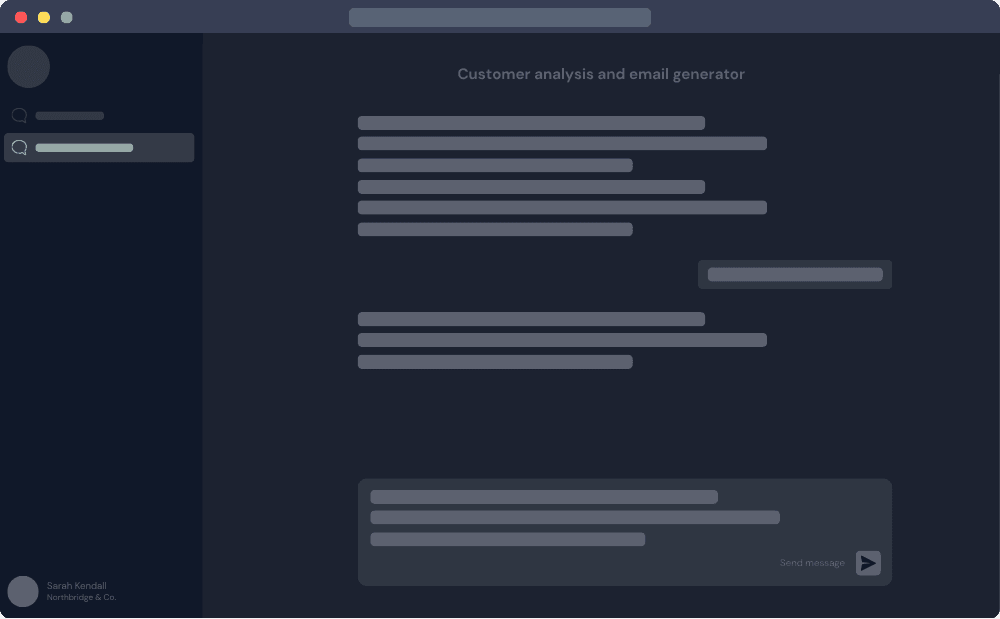
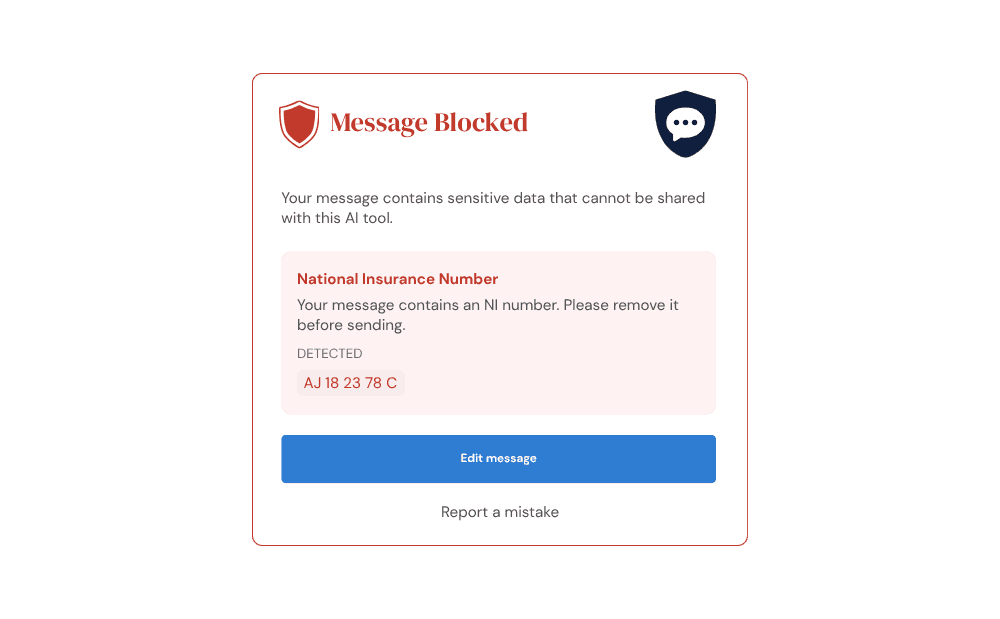
ChatShield shows you what your team is sending to ChatGPT and Claude, and stops sensitive client data before it leaves the browser. Set up in 5 minutes. Works across your whole firm.
The problem
ChatGPT has no idea what's confidential to your firm
OpenAI does not know your clients, your engagements, or your regulatory obligations. Most staff assume AI tools handle their data responsibly and do not think twice before pasting a client email thread in to ask for a summary.
What your team believes
“ChatGPT keeps our data private and safe.”
OpenAI's default settings allow data to be used for model training. Most staff have never seen the privacy settings, let alone changed them.
The reality
“ChatGPT cannot distinguish your client's name from any other word.”
It has no concept of what is sensitive to your business. Only you know that. ChatShield lets you define exactly what is off limits and enforces it automatically.
How it works
Up and running before your next client call
No IT department. No complex configuration. Three steps and your whole team is protected.
Set what is off limits: client references, financial figures, personal data. Start with our built-in rule library or add your own patterns. Takes minutes.
Staff receive a link by email. They click it, install the extension, and it connects automatically. No tokens to paste, no IT ticket raised.
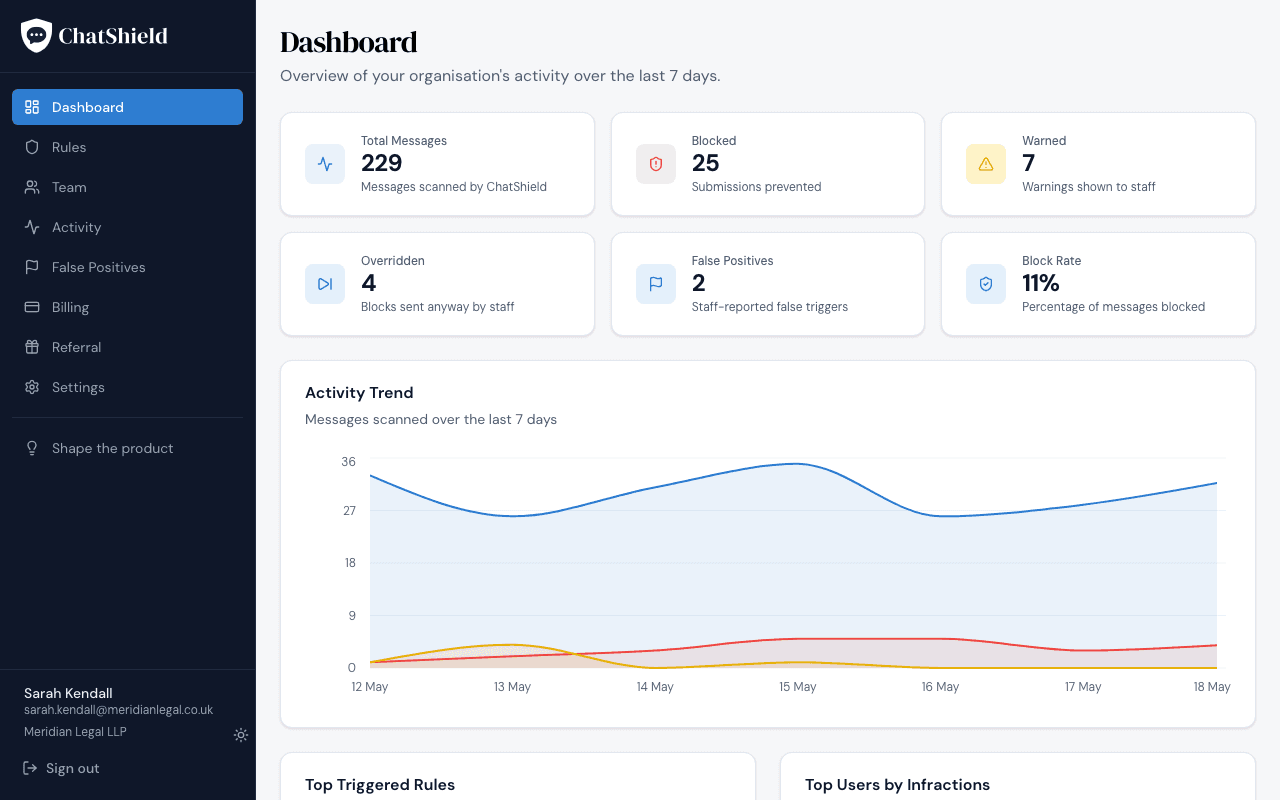
Your dashboard shows every blocked message, which rule triggered it, and who sent it. Real evidence that risk is being managed, not just a policy document.
The dashboard
Know exactly what's happening across your team
Open your dashboard on day one and see what your staff have actually been sending. Most firms are surprised.
- Total messages vs blocked: see the scale of AI use and how much was stopped
- Top triggered rules: understand which types of data your team is most at risk of sharing
- Flag repeat offenders: identify staff who need additional training with one click
- Override tracking: know when staff decide to send anyway, and which rules are generating false positives
Features
Everything you need to govern AI use across your team
Messages are intercepted in the browser before they reach the AI tool. Your team carries on using ChatGPT and Claude the way they already do. No new tools to learn, no workflow change.
Email addresses, phone numbers, NI numbers, card numbers, sort codes, connection strings and more, blocked out of the box with zero configuration required.
Add the words and phrases that are sensitive to your firm: client names, matter or job codes, partner names, internal codenames. Type them in plain English. We handle the rest.
Rule evaluation and file parsing happen locally in the extension. Neither your message content nor your file content ever touches ChatShield's servers. A core privacy commitment, not a marketing claim.
Sensitive data hides in documents too. ChatShield reads the text inside Word, Excel, PDF, and text files as they're attached, and blocks or warns on the same rules — all parsed on the device, never uploaded to us. Text formats only; no images or OCR.
See who is triggering rules most frequently. Flag repeat offenders for additional training with one click and build a documented governance trail.
Staff can flag a block as a mistake or send anyway after a prompt. Every decision is recorded on your dashboard, so you can tune rules that fire too often and spot anyone repeatedly working around the block.
Pricing
Simple, transparent pricing
One plan, per seat. No setup fees. No long contracts. Cancel any time.
3 seat minimum · $23.25/month to start
- ChatGPT, Claude, and Microsoft Copilot coverage
- Full built-in rule library
- Unlimited custom rules
- Local file-content scanning
- Activity dashboard and reporting
- 10+ seats: contact us
FAQ
Common questions
“Our staff would not paste sensitive data into ChatGPT.”
Most incidents are not deliberate. Someone pastes a client email thread to ask for a summary and does not think twice. ChatShield's own dashboard will show you what is actually happening. Most firms are surprised by what they see in the first two weeks.
“We already have an IT policy that covers AI use.”
A policy tells staff what not to do. ChatShield makes sure it does not happen and gives you the evidence trail if it does. Those are different things, and compliance-minded clients increasingly want the latter.
“Is this a real risk or are you just trying to sell us something?”
The SRA has published guidance on AI use in legal practice. Accounting bodies are addressing it for their members. Professional indemnity insurers are beginning to ask about AI governance at renewal. The regulators and the insurers are moving in the same direction.
“What stops a determined employee from bypassing it?”
ChatShield is not an airtight security perimeter. It is a governance and training tool. It stops accidental exposure, creates an audit trail, and builds good habits. For firms that need to demonstrate due diligence, that is exactly what is required.
See what your team is really sending to AI tools
14-day free trial. Set up in 5 minutes. No IT department needed.